
Using ForeverCast
The main window
This is where you start and stop fishing and watch what ForeverCast is doing.
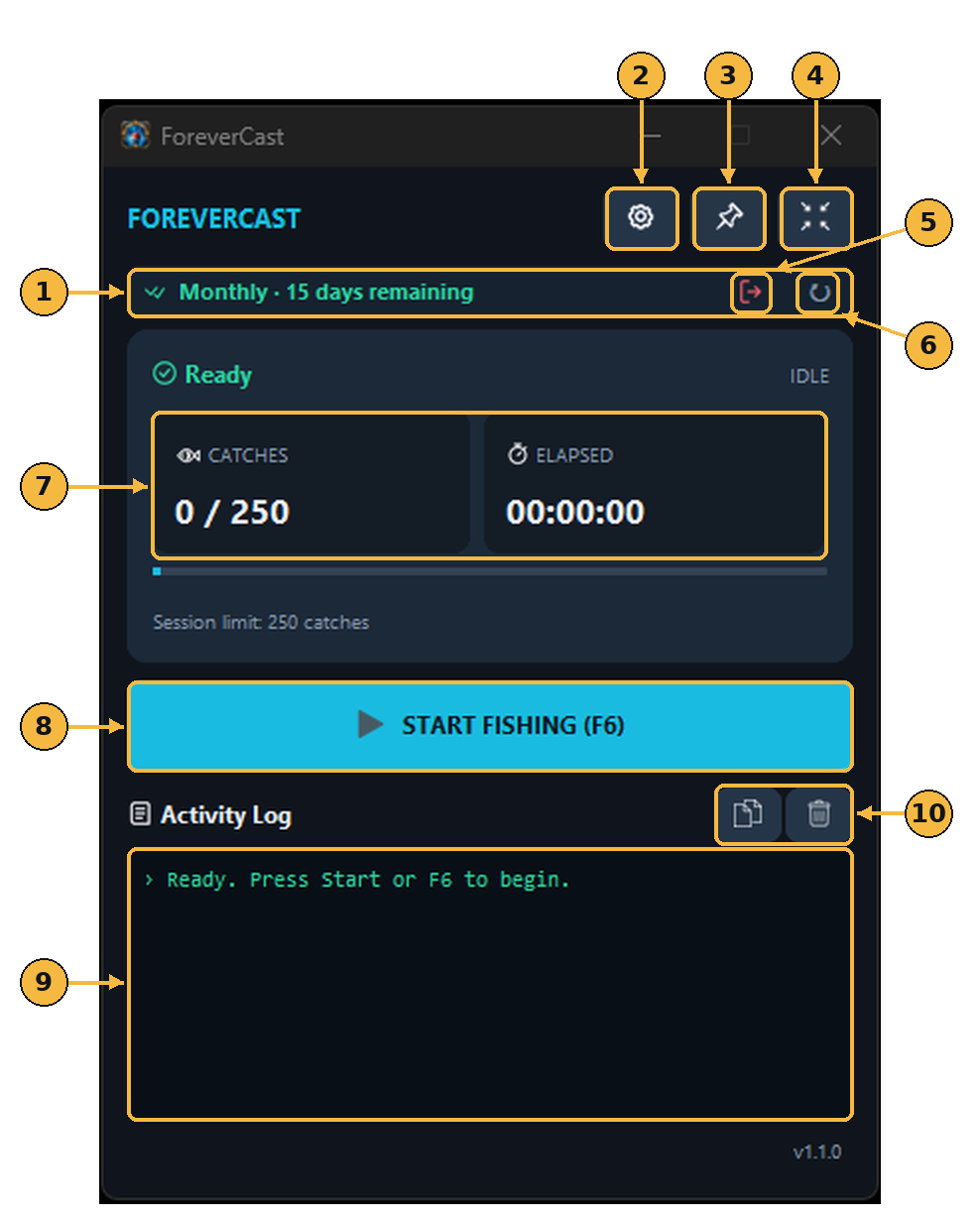
- License statusYour plan and how long it has left, e.g. "Monthly · 15 days remaining". Lifetime keys show "Lifetime".
- SettingsOpens all the options: keys, fishing method, human-like behaviour, session limits. Explained on Fishing settings.
- Pin (always on top)Keeps ForeverCast above other windows so you can watch the counter while you play. Over WoW, this works when WoW runs in windowed or borderless mode.
- Compact modeShrinks the window to just the counter and the Start button (see below).
- Log outSigns this PC out of your license. You'll need to enter the key again next time. To move to another PC, use Reset Device in the activation window instead.
- Refresh licenseChecks your license with our server again, e.g. right after you extended or upgraded it.
- Catches and elapsed timeFish caught this session and how long it has been running. If a catch limit is set, it shows as
0 / 250with a progress bar underneath. - Start Fishing (F6)Starts fishing. Press it again, or press F6 from inside WoW, to stop. You can change the hotkey in Settings.
- Activity LogEverything ForeverCast does, line by line: casts, splashes, lures, pauses and errors. This is the first place to look when something seems wrong.
- Copy / clear logCopy puts the whole log on your clipboard, ready to paste into a Discord ticket. The bin icon clears it.
Compact mode
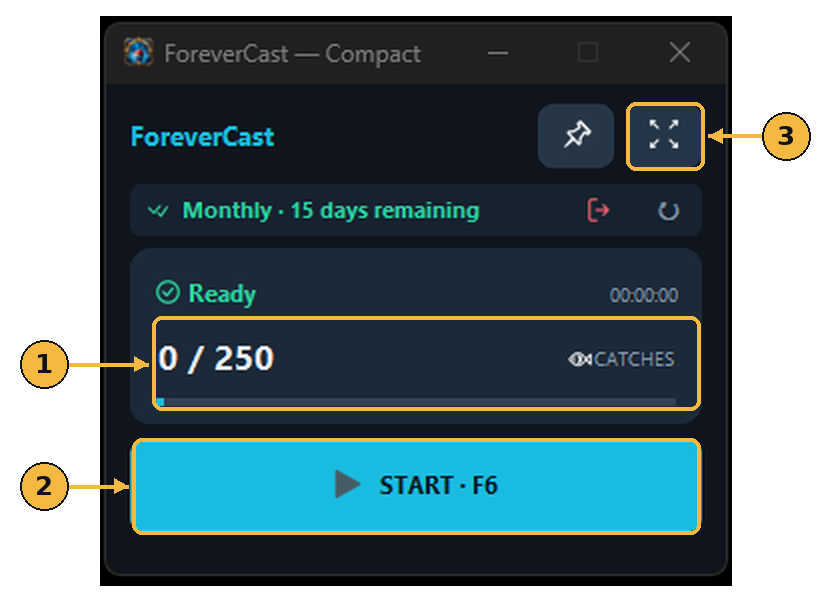
- Catch counterSame counter as the full window, with the elapsed time above it on the right.
- Start · F6Starts and stops fishing, just like in the full window.
- ExpandBack to the full window with the log and settings.
Tip
Turn on Pin and Compact mode together to keep a small counter on top of WoW while you fish.